Template guides / Particle Cube
Particle Cube
Create rotating particle cubes with wireframe styles, nested layers and synchronized or opposing motion.
Open Particle Cube in editor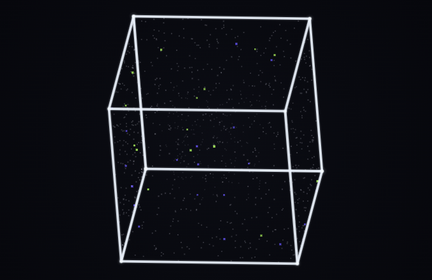
What you are seeing
A cube gives your eye straight edges and corners to follow as it turns. Particle and wireframe styles offer different depth cues; some views can appear to reverse, while stereo modes deliberately add binocular depth. The perceived result depends on the view and the observer.
Try it in the editor
- Start with Single to see the shape clearly, or Wireframe to emphasize its edges.
- Choose a standard or vertex-down pose. Add nested layers only after the outer silhouette reads clearly.
- Try Nested / Sync, Nested / Offset and Nested / Counter to compare how the relationship between layers changes.
- Pause at a readable frame for a cover image, or record a short rotation for a vertical video.
Controls that make a difference
- Cube style
- Original, white, color and wire styles change the balance between particles, color and edges. Wire is a useful starting point for nested structures.
- Nested layers and ratio
- Use one to four layers. A smaller ratio creates more separation between successive cubes; a larger ratio packs their edges closer together.
- Nested motion
- Sync keeps layers aligned, offset separates their phases, and counter reverses alternating layers. Vertex connectors make the relationships more visible.
- Layout
- Single, side-by-side and stacked arrangements reuse the same subject. Leave enough space to avoid clipping as it rotates.
What to keep in mind
Stereo viewing is optional and may not work comfortably for everyone. A depth-rich stereo preset and an ambiguous particle rotation are different viewing experiences; neither guarantees that every viewer will see a reversal.
Save and export
The editor saves drafts in this browser. Download a project JSON file to keep a portable backup; clearing site data removes local drafts. Opening a template guide’s editor link restores that template’s saved draft when available.
PNG exports capture the selected frame at 540 × 960, 1080 × 1920 or 2160 × 3840. Browser video recording is silent, with 720p or 1080p portrait output and a target of 30 fps. MP4 or WebM availability depends on your browser. Keep the tab visible; recording is limited to 60 seconds and does not guarantee exact timing, frame rate or a seamless loop.
Use material you have permission to use. A template’s availability does not grant rights to third-party music, branding or reference works.