Template guides / Dual Axis
Dual Axis
Explore ambiguous dual-axis motion and compare blue vertical and red horizontal visual cues in a particle animation.
Open Dual Axis in editor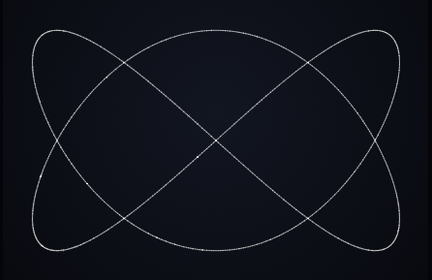
What you are seeing
The same repeating motion can suggest rotation around different axes. The ambiguous preset leaves the interpretation open; a blue vertical cue or red horizontal cue changes the visual evidence your eye uses to interpret it. Switching cues is more informative than simply increasing the speed.
Try it in the editor
- Begin with Ambiguous motion and watch several cycles without changing parameters.
- Choose Blue vertical axis and compare the apparent axis with the first view.
- Choose Red horizontal axis while keeping the speed similar. Notice how the central cue changes the reading of the motion.
- Record separate clips if you want to assemble a side-by-side explanation in your video editor.
Controls that make a difference
- Axis cue
- Ambiguous, vertical and horizontal modes preserve the underlying motion while changing its visual interpretation. Blue marks the vertical cue; red marks the horizontal cue.
- Motion speed and direction
- Speed ranges from 0.2–2. Slower motion makes tracking easier; direction reverses the timeline.
- Vertical squash
- A range of 0.3–1.5 changes the height of the motion. Start near the preset value before trying flatter or taller forms.
- Samples
- Use 240–1,600 samples to change the density of the form. More samples can smooth its appearance but increase rendering work.
What to keep in mind
Perception varies: some viewers see one axis immediately and others do not switch. This animation is not a measure of attention, intelligence or vision.
Reference and attribution
Inspired by the Dual Axis Rotation Illusion by Frank Force / KilledByAPixel. This template is a particle reconstruction of that motion idea, not a claim of authorship of the original illusion.
Save and export
The editor saves drafts in this browser. Download a project JSON file to keep a portable backup; clearing site data removes local drafts. Opening a template guide’s editor link restores that template’s saved draft when available.
PNG exports capture the selected frame at 540 × 960, 1080 × 1920 or 2160 × 3840. Browser video recording is silent, with 720p or 1080p portrait output and a target of 30 fps. MP4 or WebM availability depends on your browser. Keep the tab visible; recording is limited to 60 seconds and does not guarantee exact timing, frame rate or a seamless loop.
Use material you have permission to use. A template’s availability does not grant rights to third-party music, branding or reference works.
Explore another shape
Particle Cube · Particle Letters · Möbius Band · Particle Torus